Every lap tells a story.
Race Buddy records your laps in F1 and Forza, shows you exactly where you lose time and tells you how to find it. Race smarter. Drive faster.
Free · Windows 10 and 11 · works offline, no account needed
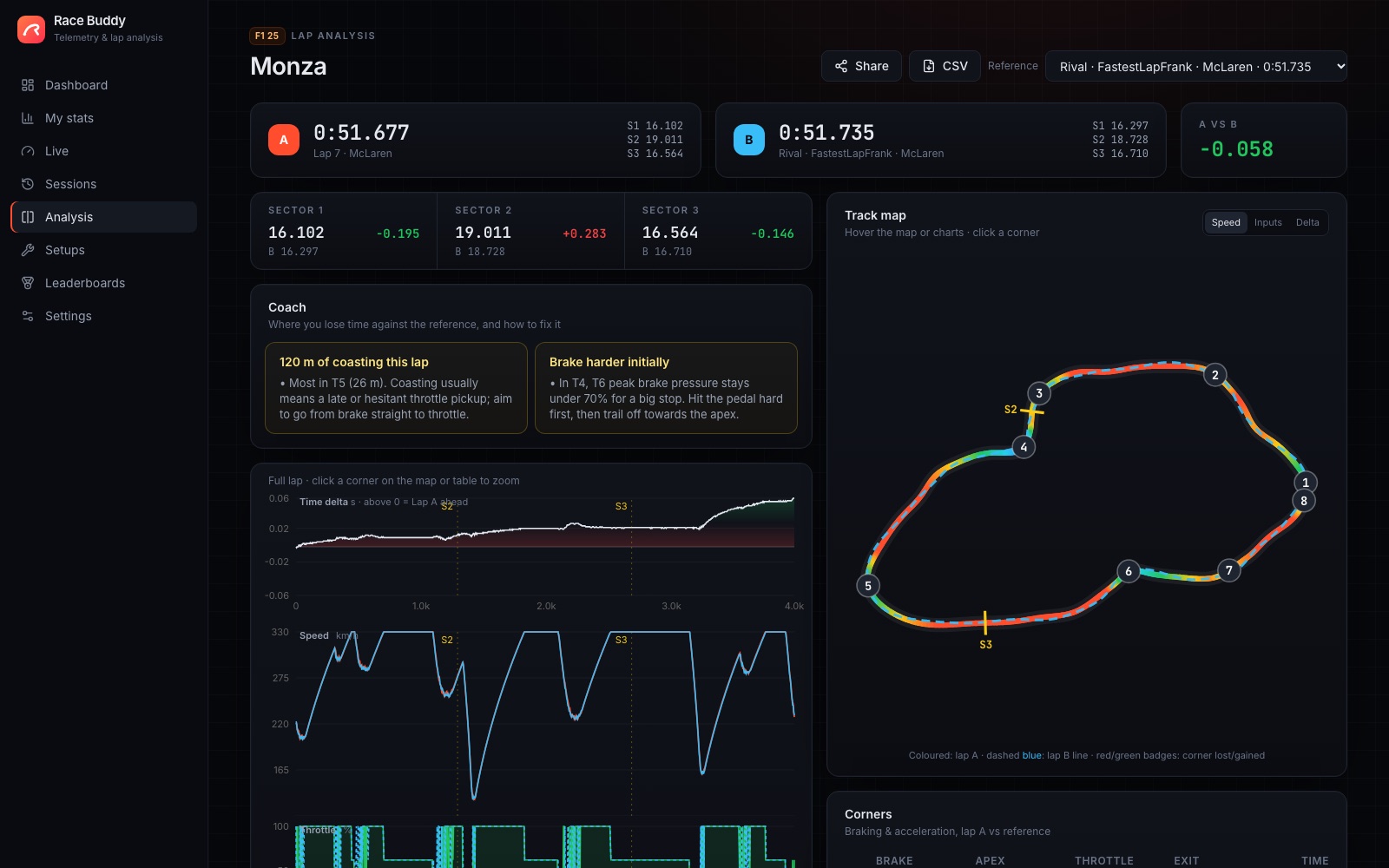
Find out where you're losing time.
Race Buddy compares every lap you drive against your best, your previous laps or a faster driver's, and shows the difference corner by corner.
Lap comparison
Overlay two laps and see the time delta grow and shrink, metre by metre.
Driving coach
Brake points, apex speed and throttle per corner, turned into concrete advice.
Track analysis
Your line coloured by speed or time lost. Click a corner to zoom everything in.
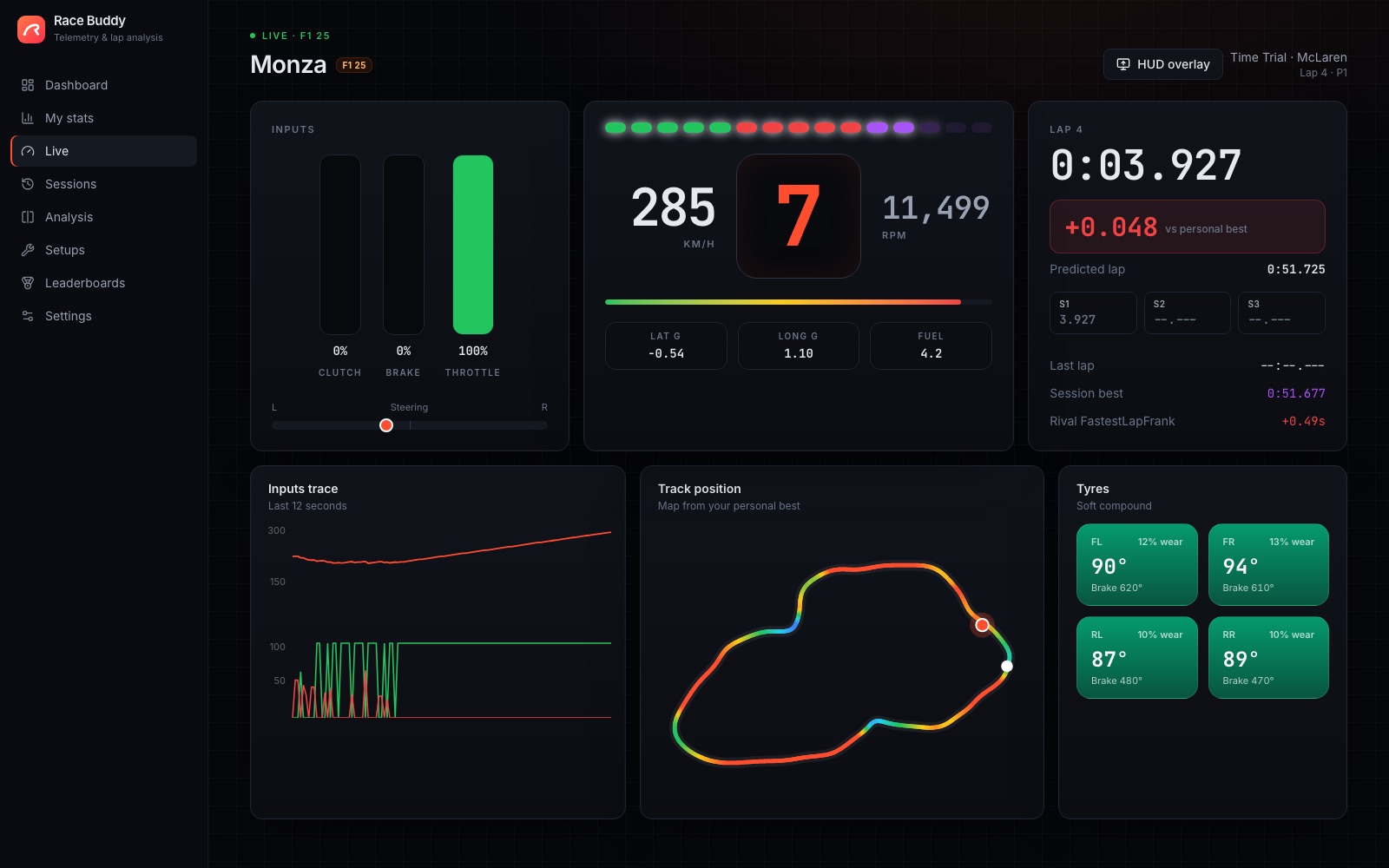
Live telemetry
Inputs, tyres, fuel, sectors and a live delta to your personal best.
Setup garage
Every F1 lap keeps its setup, so you know which one was fastest.
Cloud sync
Optional: your laps on your phone, share laps by link, join the leaderboards.
See everything your car is doing.
Pedals, revs, G-forces, tyre temperatures and wear, fuel and a live delta to your personal best, with purple, green and yellow sectors as you drive. Put it on a second screen, a tablet next to your rig, or pin the HUD overlay in VR.
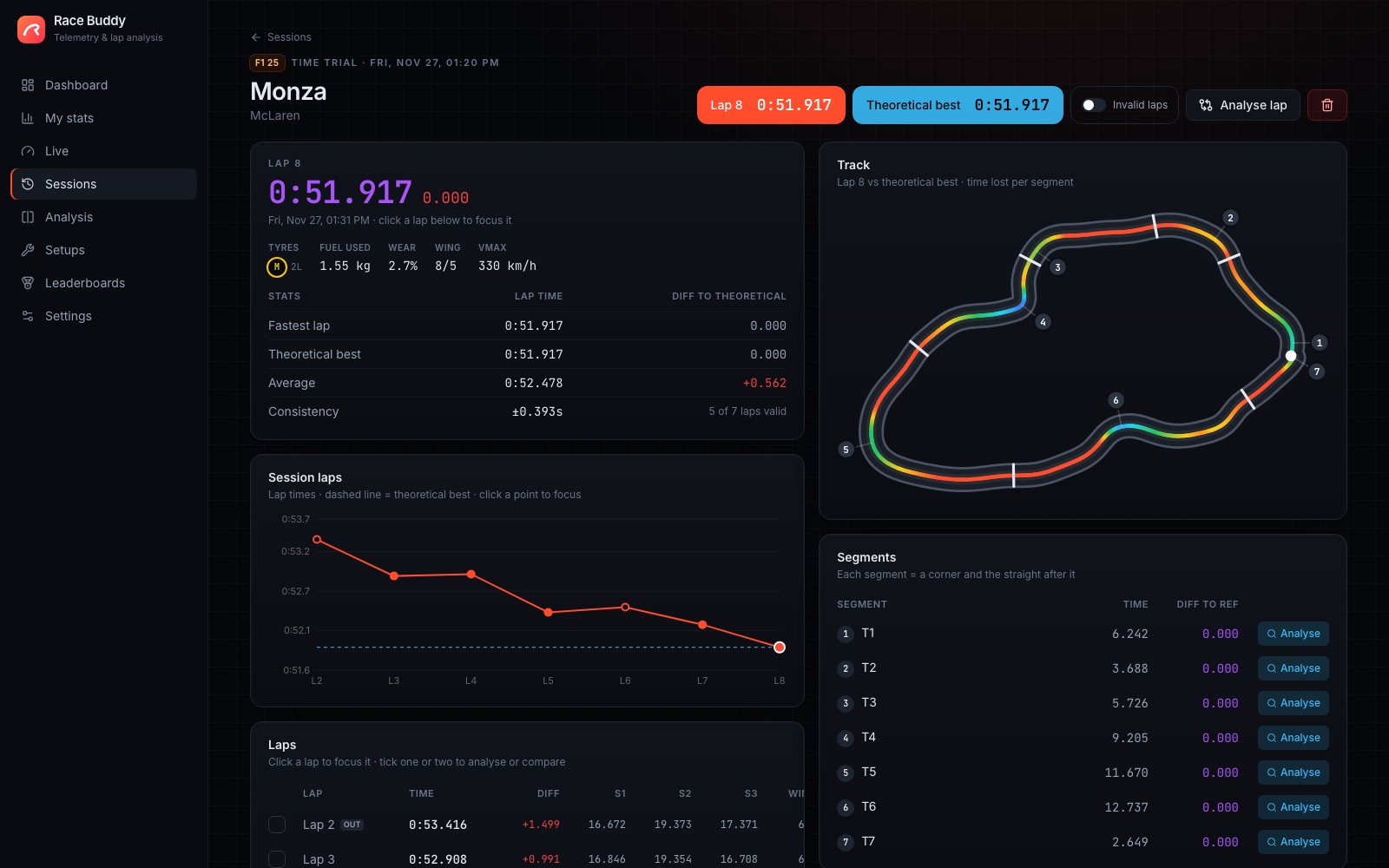
Never lose a lap again.
Every session is saved automatically, with lap and sector times, tyres, fuel, setup and your theoretical best: your best time in every segment combined. Out laps, in laps and invalid laps are recognised, so your personal bests stay honest.
From your first lap to your personal best.
Install
Install Race Buddy on your Windows PC. It runs quietly in the tray.
Connect your game
Turn on UDP telemetry in F1 or Data Out in Forza. Two minutes, once.
Analyse your laps
Drive. Every lap is recorded, compared and coached automatically.
Ready to beat your personal best?
Explore the full app with sample laps in your browser, no install needed.