← Supported games
Forza Horizon 6 telemetry & lap analysis
Turn Forza Horizon 6's Data Out into lap times you can analyse: speed, inputs and racing line on every circuit event, compared lap against lap.
Set up Forza Horizon 6 in two minutes
Data Out (Horizon layout) · Race Buddy listens on port 5300 by default.
- 1Open Settings → HUD and Gameplay.
- 2Data Out: On.
- 3Data Out IP Address: 127.0.0.1.
- 4Data Out IP Port: 5300.
Good to know
- •Microsoft Store and Game Pass builds can't send to localhost by default. Allow loopback once from an elevated PowerShell: CheckNetIsolation.exe LoopbackExempt -a -n="<package family name>" (find it with Get-AppxPackage *Forza*). Steam builds don't need this.
- •Laps are recorded in circuit events. Free roam and sprint races are shown live but have no laps to save.
- •Forza Horizon 4 and 5 use the same format and work too.
Stuck? See the getting started guide or support.
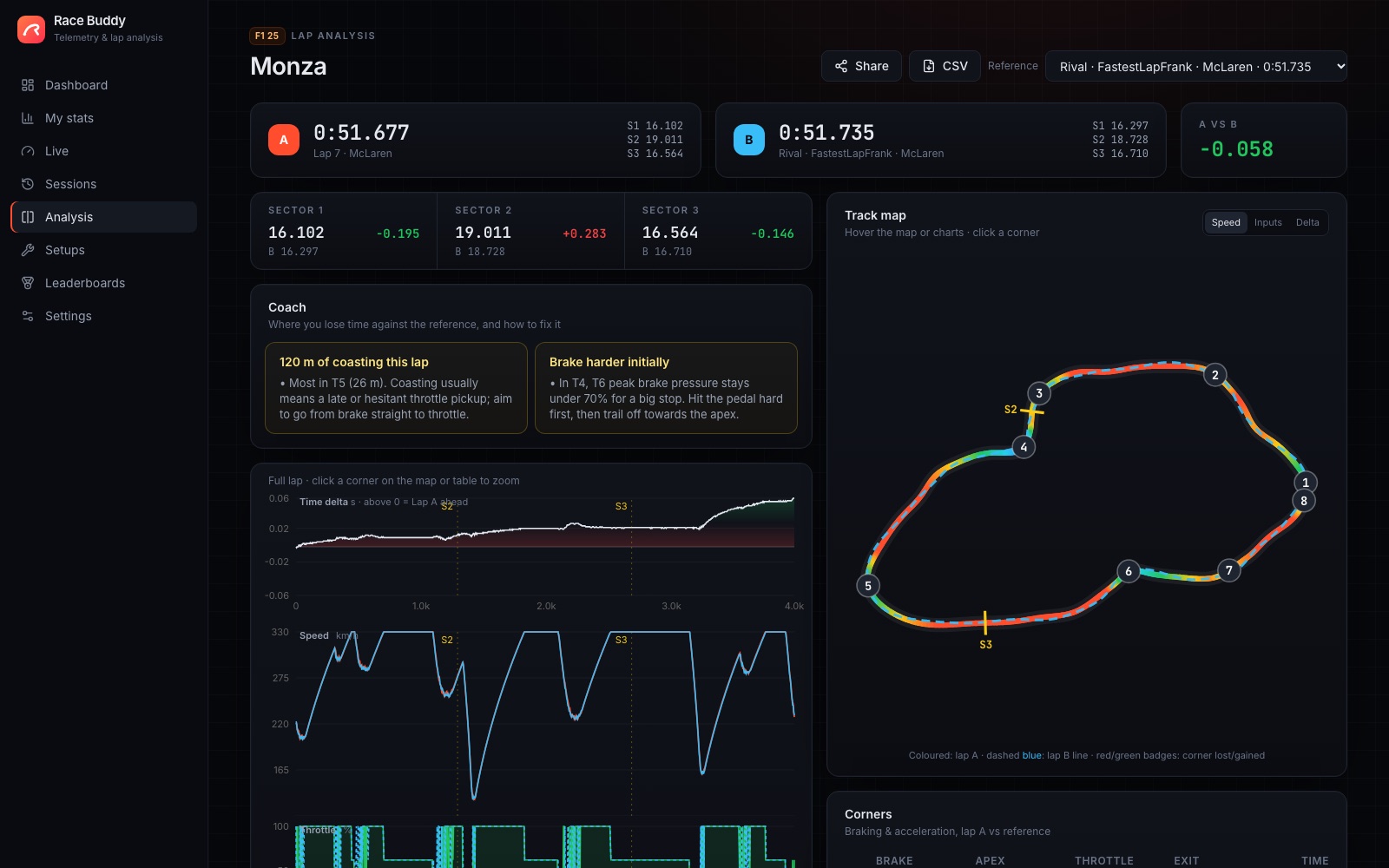
What you get in Forza Horizon 6
Lap comparison
Find exactly where you're losing time.
Automatic coaching
Know what to change on your next lap.
Interactive track maps
Analyse every corner.
Live telemetry
See everything your car is doing.
Tyres & fuel
Understand your race pace.
HUD overlay & VR
Keep your numbers in view while racing.
Personal statistics
Track your progress over time.
Automatic recording
Never lose a lap again.
Local-first
Your racing data belongs to you.
Cloud sync, sharing & leaderboards
Your laps on any device.